


Is your web app really safe? Every Laravel developer often has this question in their mind. Because now hackers are constantly probing for vulnerabilities. And even a tiny flaw in your code makes it easy for them to crash. Thus, building a secure web app in Laravel 10 isn’t that easy. But they follow some Laravel secure development tips to resolve this issue.
Thinking–why is it essential to safeguard your web app? Because it holds sensitive user data, handles payments, and connects users. Without stronger security, they can easily become targets for data breaches. It also leads to many other cyberattacks.
Protecting sensitive user data builds trust. Also, it is an ongoing responsibility. So, developers must stay alert, test often, and patch vulnerabilities quickly.
But how to secure a Laravel 10 app? In this blog, let’s see the Laravel 10 security practices that keep it away from real-world threats. By the end, you’ll know how to build secure web apps in Laravel confidentially.
Proven Strategies to Create Secure Laravel Apps
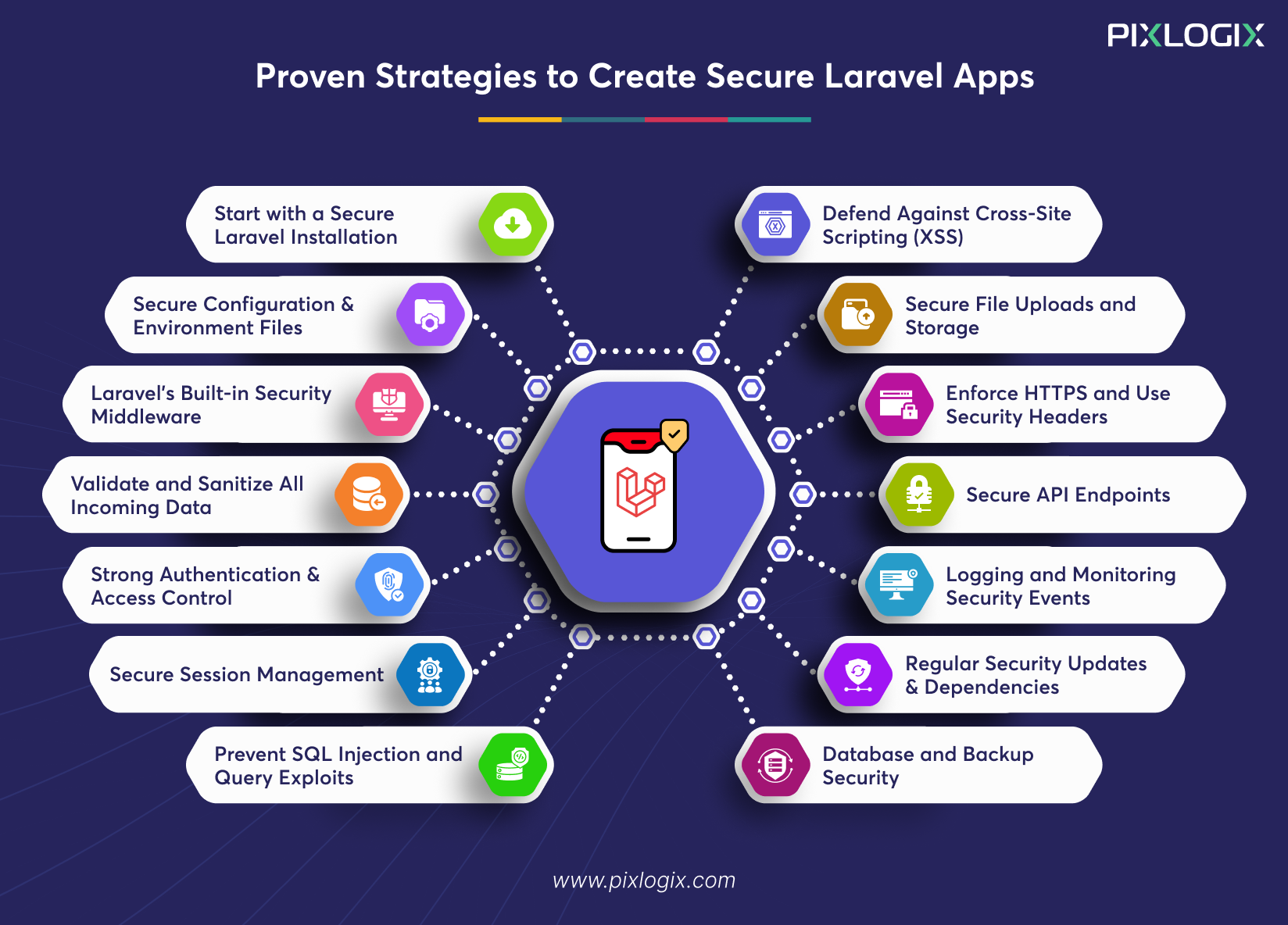
Building a secure Laravel application goes beyond writing clean code. It requires smart planning and continuous monitoring. But when you build with the right strategy, it ensures safety for the long run.
Let’s see the best practices for Laravel web security one by one:
1. Start with a Secure Laravel Installation
A strong foundation means fewer vulnerabilities later. Here’s how to start:
- Install the latest Laravel 10 built-in security version using Composer.
- Configure server permissions carefully. Keep in mind, only storage and bootstrap/ cache should be writable.
- Avoid uploading .env files to public repositories. Instead, create a .env .example file for safe configuration templates.
- Use Docker or Laravel Sail for isolated, reproducible environments.
Example: Many teams offering Laravel development services in India now automate installations. This helps them secure their CI/CD pipelines, ensuring a consistent setup across every deployment.
2. Protect Configuration and Environment Files
The .env file is your app’s secret vault. Here’s how to protect it:
- Keep it out of public reach using .htaccess or Nginx rules.
- Cache configurations with php artisan config: cache. This approach prevents all the runtime leaks.
- Integrate modern-day tools for encrypted key management. This includes AWS Secrets Manager or Vault by HashiCorp.
These strategies will add another security layer beyond the default setup.
Tip: Laravel web development services have encrypted storage for API keys. This helps them comply with global data protection standards.
3. Use Laravel’s Built-in Security Middleware
Laravel development services offer powerful middleware tools. It boosts the security of your web application. Some of them are:
- VerifyCsrfToken: It protects your site from cross-site request forgery.
- EncryptCookies: This code secures all your cookie data.
- TrimStrings: It cleans input to prevent injection attacks.
Laravel 10 has built-in security tools. This acts as your first line of defence against common threats. Start by enforcing HTTPS across your application.
Tip: Want to stay away from DoS attacks? Then leverage Laravel security features like rateLimiter(). This function is for intelligent request throttling.
4. Validate and Sanitize All Incoming Data
Unvalidated inputs are a major gateway for injection attacks. Laravel makes it easy to lock down your forms with:
- Request validation rules: Enforce strict input checks.
- FormRequest classes: Centralize and reuse validation logic.
- Bail & nullable rules: Control input flow and skip unnecessary checks.
For deeper protection, use the Laravel Validation Sanitizer package. It cleans all the incoming data before it hits your business logic. This approach keeps harmful payloads out.
Example: A top Laravel development company in India slashed 70% of its validation errors. They achieved this by integrating custom sanitizer middleware into your e-commerce platform.
5. Implement Strong Authentication and Access Control
Laravel website development secures your application from the ground up. Here’s how to implement key security layers:
Multi-Factor Authentication: Use Laravel Breeze or Jetstream. It enables MFA and secure password hashing.
Role-based Access Control: Define user permissions correctly. Use Laravel Gates and Policies for secure access control.
Better Authentication: Integrate OAuth2 or SSO in your workflow. It supports secure login systems for top-grade apps.
Session Expiry: Always remove inactive sessions. This reduces the risk of session hijacking.
These are the basic Laravel 10 security checklist. These practices comply with global compliance standards.
6. Secure Session Management
Sessions often store sensitive user data. So, securing them is very much essential. Here’s what to do:
Use Secure Storage: Save sessions in the database, not in files. This improves performance and reduces exposure.
Harden Cookie Settings: In your .env file, enable:
- SESSION_SECURE_COOKIE=true. This code ensures cookies are sent over HTTPS only.
- SESSION_HTTP_ONLY=true. It blocks JavaScript access to session cookies.
Rotate Session IDs: Try to regenerate session IDs after every login. This prevents session fixation attacks.
Auto-Expire Inactive Sessions: Set a specific lifetime for each session to remove idle users. This approach reduces the risk of hijacking.
This is one of the important Laravel 10 security practices. It also aligns with global standards for secure PHP development.
7. Prevent SQL Injection and Query Exploits
SQL injection is a major threat to web application security in Laravel. But you can overcome this problem with proven steps. Laravel’s Eloquent ORM uses prepared statements. It automates user inputs and blocks injection attempts. This protects most of your queries–as long as you stick to Query Builder. However, when raw queries are unavoidable:
- Use DB::select() with bound parameters.
- Avoid string interpolation at all costs.
- Prefer Query Builder methods for dynamic conditions. This includes where() and orWhere().
Pro Tip: Run regular tests to uncover hidden injection points. Use tools like SQLMap for this process.
8. Defend Against Cross-Site Scripting (XSS)
Nowadays, XSS attacks are very common. But Laravel app development services help you overcome this challenge effectively. Here’s what they do:
- Laravel’s Blade templating engine automates tasks. This helps you escape from output using {{ }}. This protects your app from malicious scripts. Avoid using {!! !!} unless absolutely necessary. And always sanitize input before rendering.
- For an extra layer of defence, implement Content Security Policy or CSP. This simple step blocks most of the unauthorized scripts.
Together, blade auto-escaping and CSP headers form a powerful shield. This is a very useful Laravel secure development tip that meets global security standards.
9. Secure File Uploads and Storage
File uploads are convenient, but risky. They open the door to serious vulnerabilities if not handled carefully. But Laravel security features can lock them down.
Validate Every Upload: Make use of Laravel’s mimes, max, and custom rules. These codes help you check the file type, size, and name before saving.
Store Files Securely: Keep uploads outside public directories. And serve them via signed URLs to prevent direct access. Use Storage::temporaryUrl().
Scan for Malware: Integrate automatic scanning in your upload workflows. This is a smart move for e-commerce, healthcare, and enterprise apps.
These features will help you build secure web apps in Laravel 10.
10. Enforce HTTPS and Use Security Headers
HTTPS isn’t an option in Laravel web development services. Securing your app starts with forcing encrypted connections:
Force HTTPS Globally: In your AppServiceProvider, use:
- URL::forceScheme(‘https’);
This ensures all URLs are generated with HTTPS. It protects your data in transit.
Add Secure Headers: Inject critical security headers like:
- Strict-Transport-Security (HSTS). This code enforces HTTPS on future requests.
- X-Frame-Options. It blocks clickjacking via iframe embedding.
- X-Content-Type-Options. This prevents MIME-type sniffing.
Both these headers avoid human-made attacks and clickjacking. It also prevents client-side exploits, making them essential for any Laravel 10 app security checklist.
11. Secure API Endpoints
In general, APIs are strong. But they often expose sensitive data if left unsecured. Laravel security features often protect them:
Token-based Authentication: Use Laravel Sanctum for a lightweight token. And a Passport for full OAuth2 support. Also, set token expiration times for everything. This reduces the risk of long-lived credential leaks.
Throttling & Abuse Prevention: Make use of Laravel’s throttle middleware. This limits repeated requests and blocks brute-force attempts. Customize rate limits using RateLimiter::for() for granular control.
Audit Trails: Log every API call. This helps you to trace suspicious activity and data breaches early. Make use of Laravel’s built-in logging with external monitoring tools.
Secure Documentation: Combine Sanctum with Swagger via packages like DarkaOnline/L5-Swagger. This helps you build secure, well-documented API structures.
These are the best practices in Laravel web security for building high-grade APIs.
12. Logging and Monitoring Security Events
Secure Laravel app development services often track their own behaviour. It is a key to spotting threats before they escalate.
Real-Time Alerts: Laravel seamlessly connects with Monolog. It allows you to send alerts when a threat is detected. Some of the potential issues are failed logins and unexpected API calls.
Visualize Logs: Plug in tools like Datadog, ELK Stack, and Sentry to help you:
- Track login anomalies.
- Monitor request spikes.
- Detect unusual user behaviour.
Respond Faster: Real-time visibility allows you to monitor threats continuously.
13. Regular Security Updates and Dependency Management
Outdated packages are a silent threat to your Laravel app. Keeping your framework and dependencies current is the best way to stay safe.
Run Regular Updates:
Use ‘composer update’ to stay on the latest versions
Run ‘composer audit’ to scan for vulnerabilities.
Automate Security Checks: Tools like Dependabot and Synk can automate monitoring. It checks your Laravel project for outdated or risky packages–and even suggests fixes.
Enforce a Disciplined Update Policy: Schedule routine audits in a staging environment before deployment. Also, review changelogs and test updates continuously.
These are the proactive approaches followed by top development teams all over the world.
14. Database and Backup Security
Backups are more than just a safety net. They’re your last line of defence when things go wrong. Here’s how to configure this:
Automate Secure Backups: Use the package to schedule automatic backups. For cloud storage, prefer AWS S3 or Google Cloud.
Encrypt Files: Always encrypt backups to protect user data. It’s hard for hackers to decrypt this data.
Tighten Access Control: Apply the least privilege concept. Restrict access to database credentials and .env files. And give users and services the minimum access they need.
These strategies are essential for long-term data safety.
Conclusion
These days, it’s hard to build a secure web app in Laravel. It takes consistency, not chance. But effective Laravel 10 security practices can help you navigate all issues. From safe installations to encrypting backups, follow strategic steps. They protect your web app from evolving cyber threats.
Follow the Laravel security features correctly to ensure safety at every step. It protects data, stops attacks, and builds trust. It’s also essential to test and monitor your app at regular intervals. Also, update them frequently to navigate changing vulnerabilities.
Ready to build a secure, scalable Laravel application? Then team up with a leading Laravel development company in India like us. We use effective ways to protect your sensitive user data from malicious activities. Our Laravel development services keep your web app compliance-ready, meeting global security standards. Contact us today to create safer digital experiences together.


Written by Samir Bhimbha Founder & CEO
Samir Bhimbha is the Founder & CEO of Pixlogix Infotech Pvt. Ltd. which offers web and app solutions to fulfill business's online needs and help to improve their online presence with many clients in the USA, Europe, Australia, and more. He is a skilled entrepreneur, web designer, developer, and team leader who can handle every situation. With 15+ years of experience in UX/UI design and web development, he is leading a team of IT professional talents.
Related Post
Top 10 Signs Your Website Needs Better UI/UX
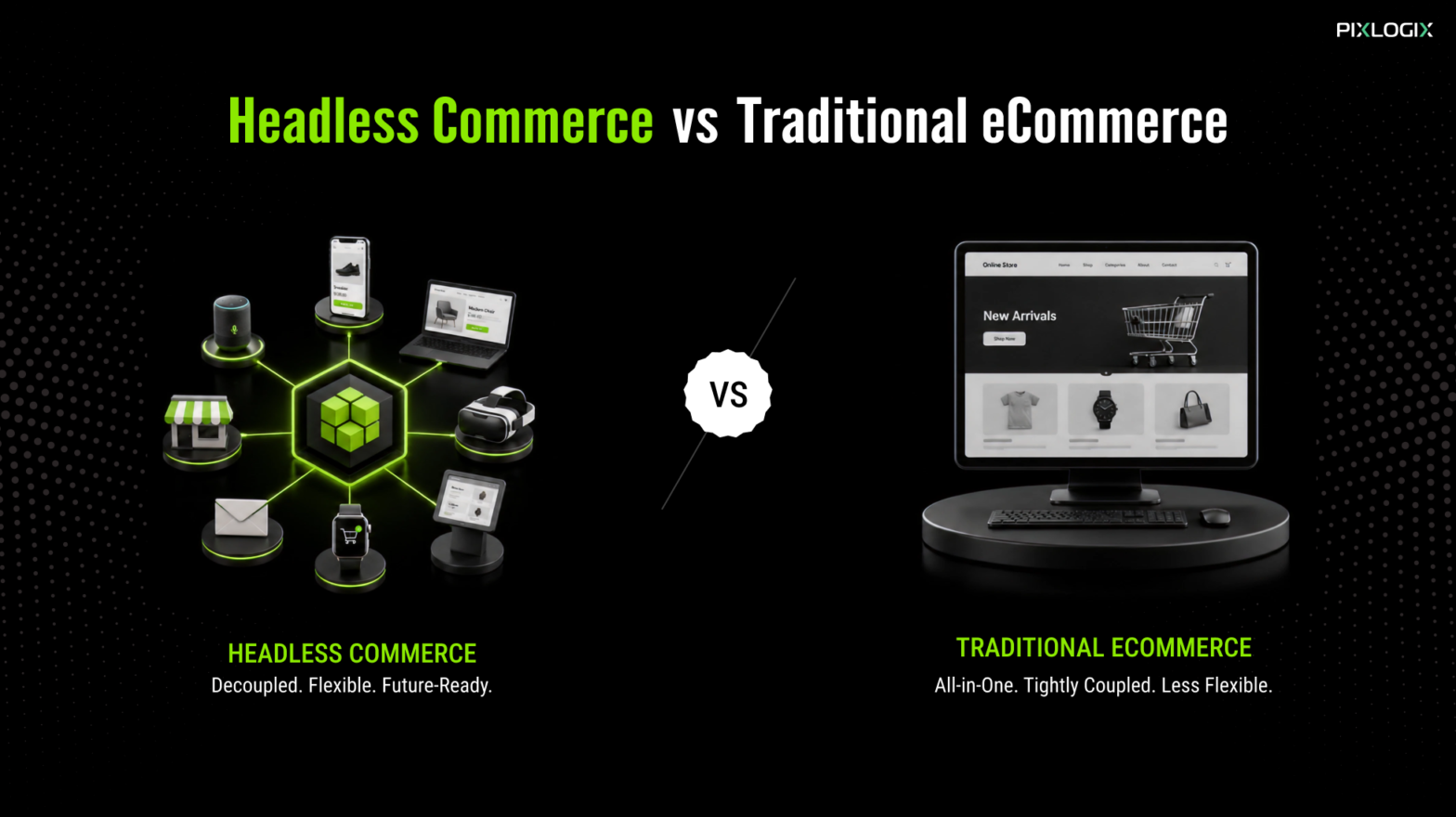
Headless Commerce vs Traditional E-commerce
Why Your Website Generates Traffic but No Leads

Get in Touch Now!
Have a word with our expert consultants about your next project to get suggestive guidance & proposal.
Sales Inquiry


HR Inquiry
 India’s First SOTD Winner on Awwwards.com – 2010