

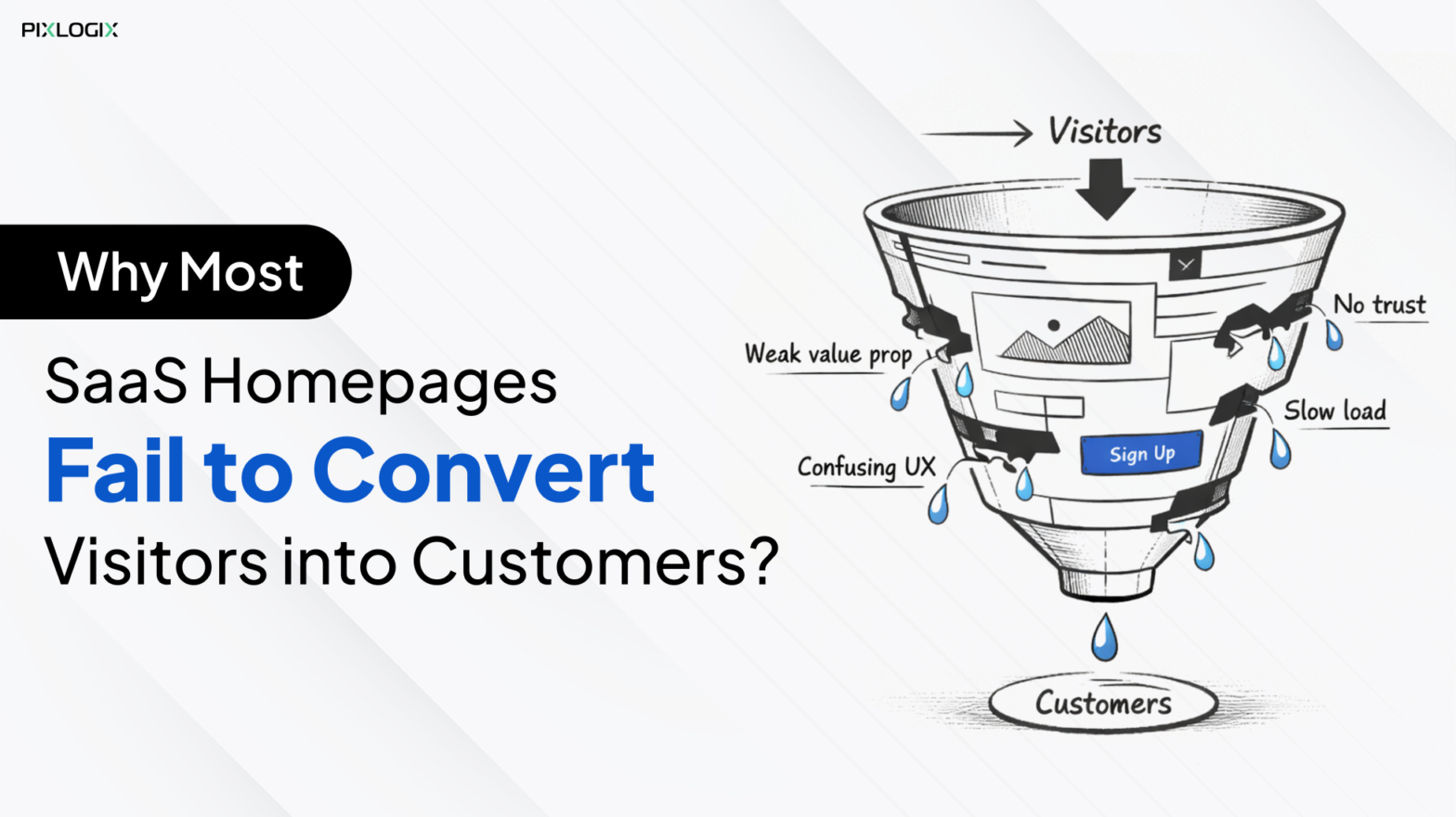
Have you ever spent thousands of dollars building a SaaS website? You drive traffic through paid ads and SEO. Yet visitors leave within seconds no sign-ups and no demos. This is the silent struggle of SaaS companies everywhere. The 2024 HubSpot study revealed a clear message. Most SaaS homepages convert just 2–5% of visitors. This means that most of them leave without taking action.
So why does this happen? In most cases, the problem is their homepage. A SaaS homepage carries a heavy responsibility. It must explain value instantly and build trust quickly. It should guide users smoothly toward action. When any one of these fails, conversions drop. Many SaaS companies unknowingly repeat these common mistakes on SaaS homepages. They overload visitors with features and use vague messaging. These SaaS landing page mistakes create friction. It also increases cognitive load and leaves visitors feeling confused instead of confident.
The good news is that these challenges don’t have to last. With the right SaaS website optimization tips, they’re fixable. Most often, there is no need to rebuild the entire site.
In this blog, we’ll break down why SaaS homepages fail to convert. And we’ll highlight the best practices for SaaS homepage design backed by real-world examples. This can help increase conversion rate on a SaaS website.
Common Reasons SaaS Homepages Fail
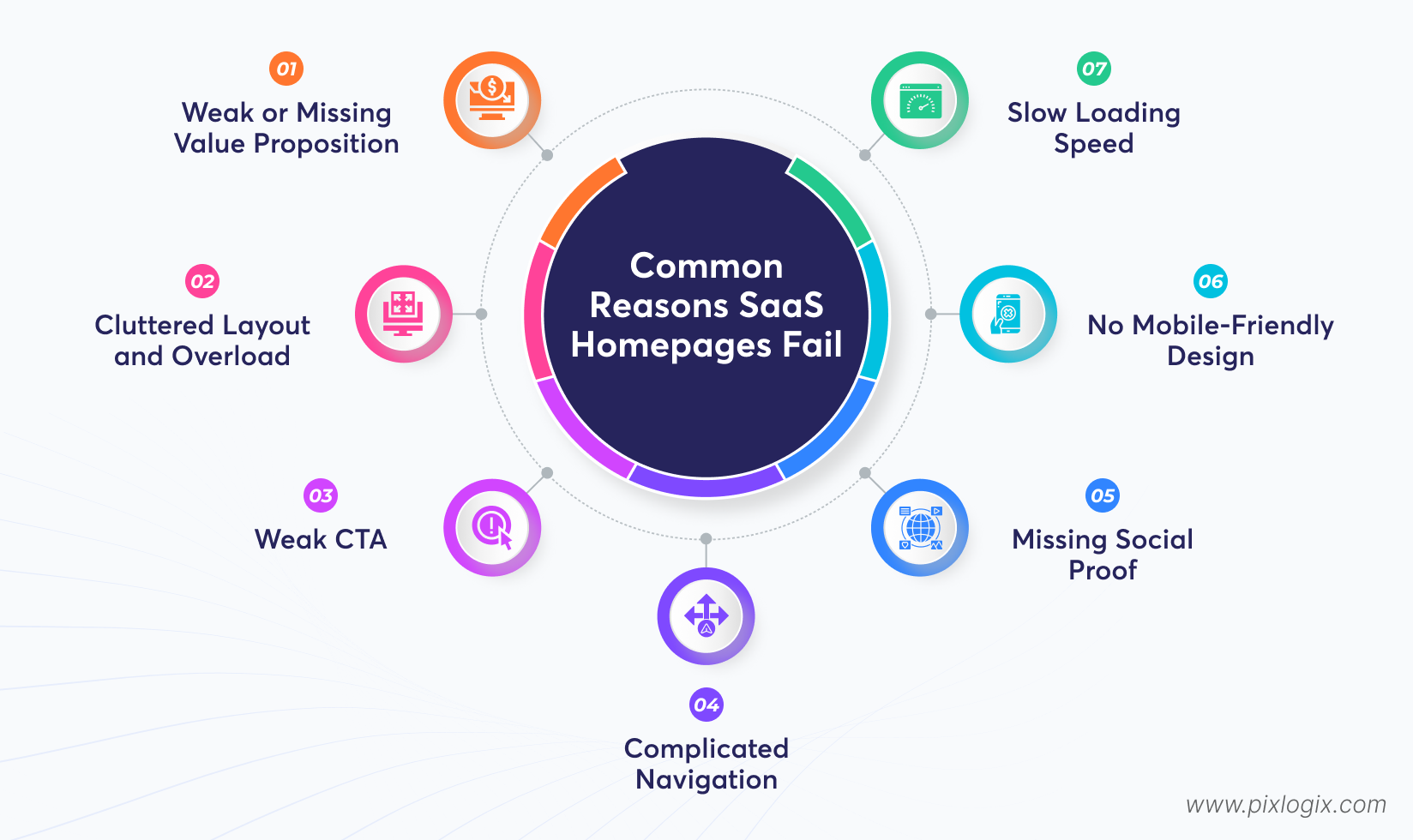
Many SaaS homepages fall short by being cluttered or overly technical. Instead of clearly showing value, they confuse visitors with jargon. This reduces trust and conversions. Let’s dig into the common mistakes on SaaS homepages:
1. Weak or Missing Value Proposition
Many SaaS sites fail because they don’t clearly explain why their product matters. Visitors should immediately understand how your solution addresses their problem. And why it’s superior to alternatives.
The Mistake:
- Vague messaging.
- Similar to competitors.
- The benefits are hidden in a long paragraph.
How to Fix?
- Use sharp headlines and subheadings.
- Include bullet points to highlight benefits.
Quick Takeaway: If visitors can’t understand your product after reading the hero section, it’s too complex.
2. Cluttered Layout and Overload
A homepage with too many buttons overwhelms users. When design feels chaotic, visitors leave.
The Mistake:
- Too many visuals.
- Dense text blocks.
- Lack of white space.
How to Fix?
- Include white space.
- Use lean fonts.
- Bring a simple layout.
Quick Takeaway: Less clutter means more attention.
3. Weak CTA
If users aren’t clear, conversions drop. A vague or buried CTA leaves visitors confused.
The Mistake:
- Buttons blend into the background.
- Multiple CTAs competing for attention.
- Vague wording like “Click here”.
How to Fix?
- Place a bold, contrasting CTA button.
- Use clear instructions.
- Limit options to avoid choice paralysis.
Quick Takeaway: Guide users with one strong CTA.
4. Complicated Navigation
Confusing menus or too many links frustrate users and increase bounce rates. Navigation should feel effortless.
Mistake Signs:
- Too many menu items.
- Labels that don’t match content.
- No search or dropdown options.
How to Fix?
- Keep menus simple.
- Prioritize key pages like testimonials.
- Use dropdowns or search bars for clarity.
Quick Takeaway: Easy navigation keeps visitors exploring longer.
5. Missing Social Proof
Without trust signals, prospects hesitate. So, add your client testimonials and their spoken words that feel natural.
Mistake Signs:
- No testimonials or reviews.
- Lack of recognizable client logos.
- No case studies or success stories.
How to Fix?
- Add customer quotes and case studies.
- Highlight awards or recognition.
Quick Takeaway: Social proof converts visitors.
6. No Mobile-Friendly Design
With most traffic coming from mobile, a non-responsive homepage alienates users. Pinching and zooming kill engagement.
Mistake Signs:
- Text or buttons are too small on mobile.
- Layout breaks on different screen sizes.
- Poor mobile usability.
How to Fix?
- Use responsive designs.
- Test across devices for consistency.
Quick Takeaway: Mobile-first design is no longer optional it’s expected
7. Slow Loading Speed
A slow homepage drives visitors away. And even a few seconds of delay can reduce conversions.
Mistake Signs:
- The homepage takes more than 3 – 4 seconds to load.
- Heavy images or unoptimized scripts.
- Frequent performance complaints.
How to Fix?
- Compress images.
- Enable caching and optimize code.
- Regularly test performance.
Quick Takeaway: Speed equals conversions every second counts.
How to Improve SaaS Homepage Conversions?
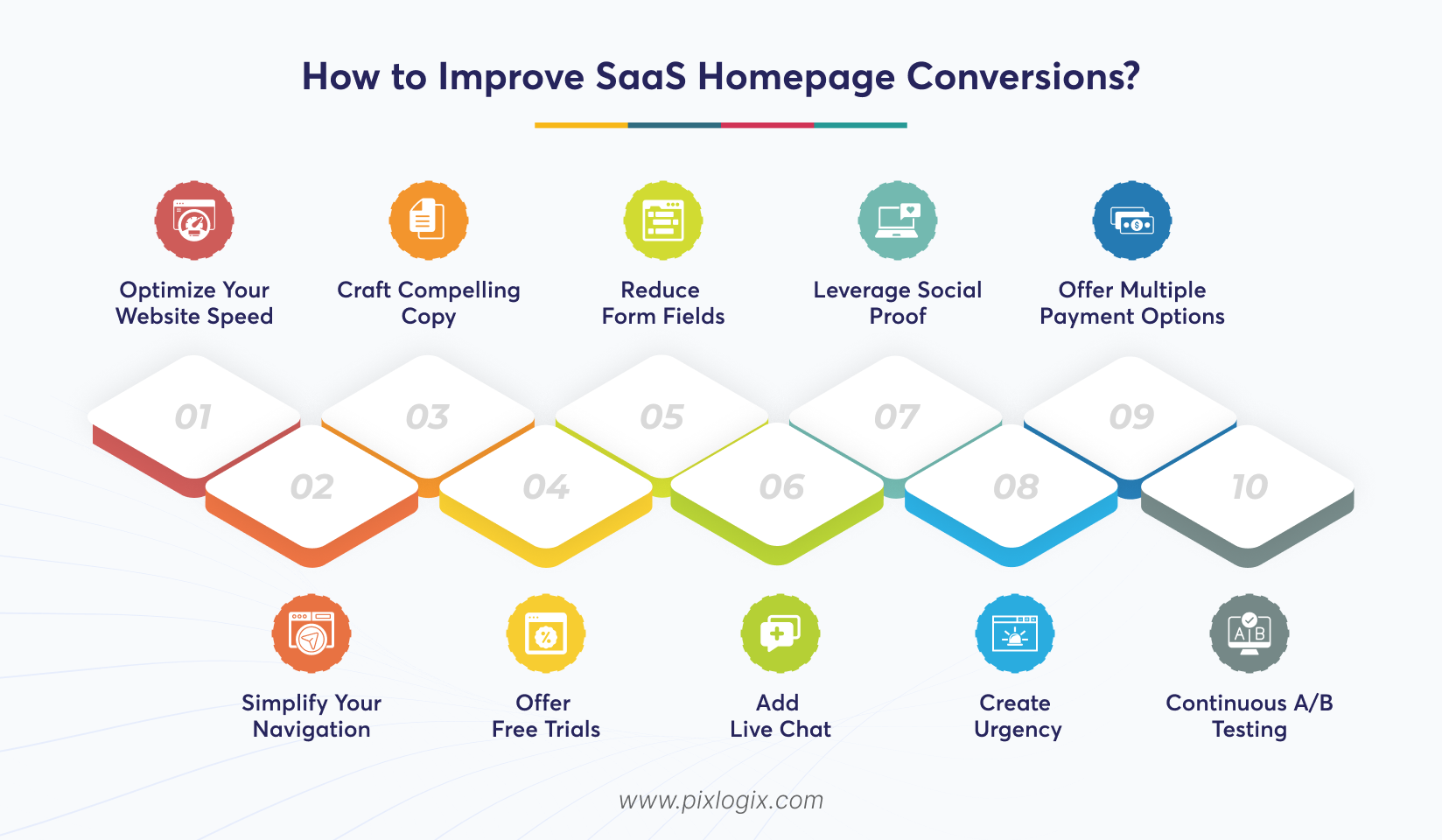
Conversion optimization isn’t about quick fixes. It’s about building a strong foundation. Address systemic issues like speed and navigation. This ensures that surface-level tweaks actually deliver results. Below are 10 SaaS website optimization tips:
1. Optimize Your Website Speed
Speed impacts every stage of the funnel, from homepage impressions to trial signups. Thus, fast-loading pages improve user experience.
Why does this actually matter?
- Reduces bounce rates.
- Keep visitors engaged
- Improves trust
- Increases completion rates.
Takeaway: A site that loads faster wins more conversions.
2. Simplify Your Navigation
Clear navigation guides users properly. It lets them find what they need without frustration.
How does this help?
- Reduces friction in exploring key pages.
- Guides users toward actions.
- Keeps visitors engaged.
Takeaway: Simple menus convert more.
3. Craft Compelling Copy
Strong copy speaks to user pain points. It also highlights benefits over features.
How this helps:
- Builds emotional connection with visitors.
- Clarifies product value instantly.
- Encourages action through CTAs.
Takeaway: Words that resonate drive clicks.
4. Offer Free Trials
Trials let users experience your product. This builds confidence before purchase.
Why does this actually matter?
- Removes hesitation.
- Lower commitment barriers.
- Points value directly.
Takeaway: Free trials turn curiosity. This converts them into committed customers.
5. Reduce Form Fields
Shorter forms make signups faster.
How does this help?
- Minimises friction.
- Increases completion rates.
- Improves user satisfaction with streamlined flows
Takeaway: Fewer fields mean more submissions.
6. Add Live Chat
Live chat provides instant support. It helps visitors make informed decisions.
Why does this outperform?
- Answer questions in real time.
- Builds trust through assistance.
- Converts undecided visitors.
Takeaway: Real-time chat boosts confidence. This leads to improved SaaS conversions.
7. Leverage Social Proof
Testimonials and client logos deliver true results.
How does this help?
- Builds credibility and trust.
- Validates product effectiveness with peer experiences.
- Reduces hesitation at decision-making stages.
Takeaway: Trust signals turn sceptics into buyers.
8. Create Urgency
Urgency motivates users to act quickly. This avoids delayed decisions.
How this helps:
- Pushes fence-sitters to convert faster.
- Increases signups during limited-time offers.
- Enhances the perceived value of acting now.
Takeaway: Scarcity and deadlines accelerate conversions.
9. Offer Multiple Payment Options
Flexible payment methods remove barriers to purchase.
Why does this outperform?
- Caters to diverse customer preferences.
- Reduces cart abandonment.
- Expands accessibility to global audiences.
Takeaway: More payment choices improve sales.
10. Continuous A/B Testing
Testing removes guesswork. It ensures that your homepage performs well. It also checks whether it evolves around real user behavior.
Why does this matter?
- Identify what resonates with your audience.
- Data-driven changes improve conversions.
- Prevents wasted effort.
Takeaway: Ongoing growth is built on constant testing.
Examples of High-Converting SaaS Homepages
Top SaaS pages guide visitors with clarity. It showcases how smart design and intuitive user journeys drive measurable growth.
1. Slack
Slack’s homepage is a master class in clarity. This is why it works:
- The hero section immediately communicates its purpose.
- CTA’s are bold and visible.
- A clear headline that solves user pain points.
- Simple navigation with pricing and features upfront.
- Strong social proof with logos.
Takeaway: Your homepage should focus on one core message.
2. Shopify
Shopify’s homepage highlights empowerment. For example, “anyone, anywhere, can start a business”. Also, their page combines aspirational messaging with practical CTAs. Here’s why they stand out:
- Emotional appeal in the headline.
- Multiple CTAs guiding users.
- Customer success stories.
Takeaway: Pair emotional resonance with actionable steps.
3. HubSpot
HubSpot’s homepage balances education and conversion. It explains its CRM benefits while offering free tools to hook users. Let’s see what makes it work:
- Clear segmentation of products. For example, marketing, sales, and service.
- Free trial and demo CTAs.
- Clear case studies.
Takeaway: Educate while nudging users toward action.
High-converting SaaS homepages are built on trust signals. Slack followed a direct messaging strategy. Meanwhile, Shopify adopted an aspirational tone. All these top SaaS homepages make value obvious. Also, they guide users toward one clear action.
Conclusion
Most SaaS websites fail to convert. It’s not because the product lacks value, but because the message lacks clarity. If visitors don’t instantly understand the problem you solve. They feel overwhelmed by clutter or hesitate due to missing trust signals, which makes them leave. Speed issues and weak CTAs are the common mistakes on SaaS homepages. Poor mobile experience and confusing navigation are also SaaS landing page mistakes.
But the solution lies in simplicity and intent. Clear value propositions and strong social proof are the top SaaS website conversion tips. They guide users, reduce friction, and build confidence fast. When clarity replaces confusion, conversions follow naturally. Follow the right Saas website optimization checklist to make your website a growth engine.
Ready to turn your visitors into customers? Then partner with a leading SaaS website development company like Pixlogix. Our experts will audit your homepage, test what matters, and optimize with intent. We focus on converting casual users into long-term visitors. Contact us today!

Written by Samir Bhimbha Founder & CEO
Samir Bhimbha is the Founder & CEO of Pixlogix Infotech Pvt. Ltd. which offers web and app solutions to fulfill business's online needs and help to improve their online presence with many clients in the USA, Europe, Australia, and more. He is a skilled entrepreneur, web designer, developer, and team leader who can handle every situation. With 15+ years of experience in UX/UI design and web development, he is leading a team of IT professional talents.
Related Post



Get in Touch Now!
Have a word with our expert consultants about your next project to get suggestive guidance & proposal.
Sales Inquiry


HR Inquiry
 India’s First SOTD Winner on Awwwards.com – 2010